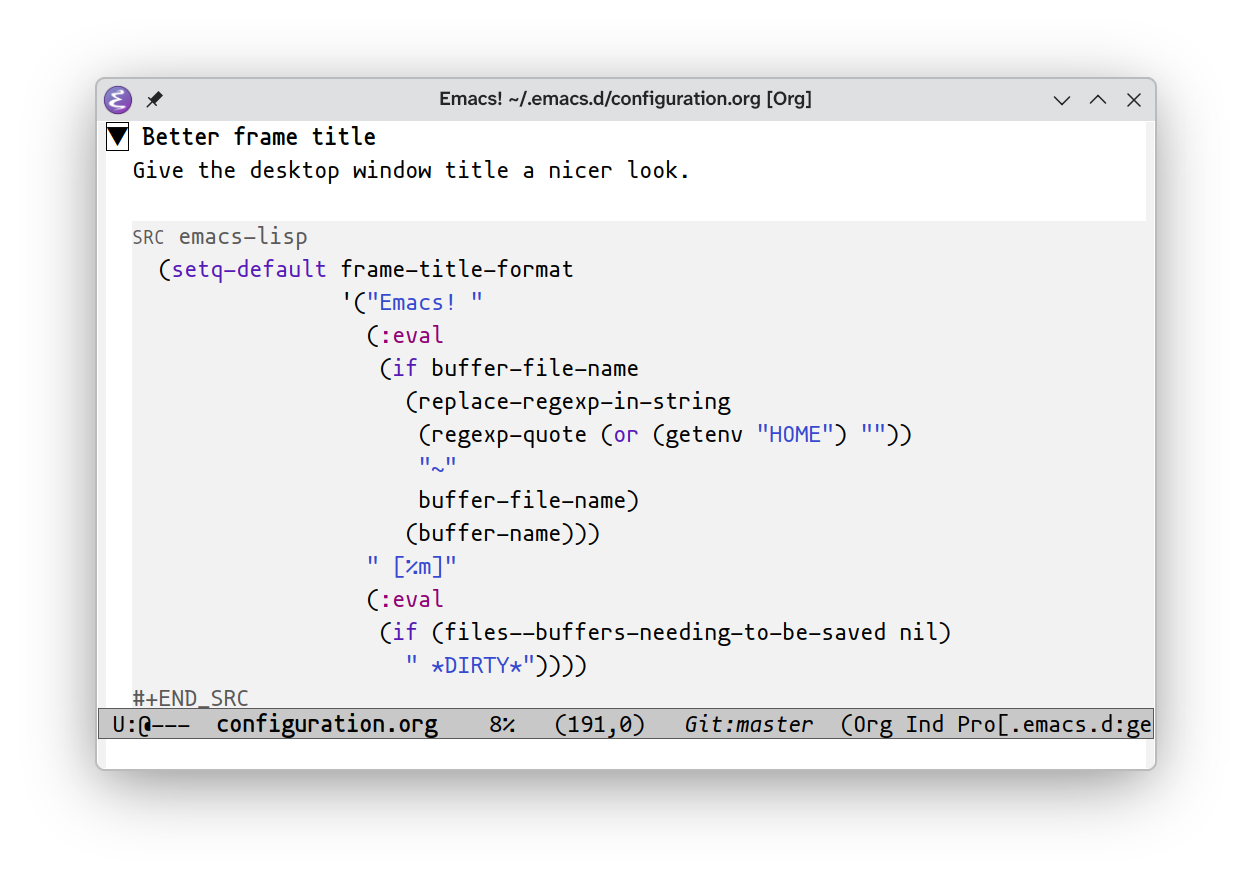
Here is my current title bar. Emacs users call it a frame title:
Emacs! ~/.emacs.d/configuration.org [Org] *DIRTY*
- The
Emacs!helps me distinguish this application from others, plus conveys my appreciation for Emacs. - The full filename is visible, falling back to buffer name when not backed by a file.
- The major mode is sandwiched between square brackets to remind myself of current buffer’s behaviors.
*DIRTY*appears when any buffer is dirty and needs saving. (TryM-x save-some-buffersorC-x s.)
§frame-title-format examined
Here is the code from my configuration.org:
(setq-default frame-title-format
              '("Emacs! "
                (:eval
                 (if buffer-file-name
                   (replace-regexp-in-string
                    (regexp-quote (or (getenv "HOME") ""))
                    "~"
                    buffer-file-name)
                   (buffer-name)))
                " [%m]"
                (:eval
                 (if (files--buffers-needing-to-be-saved nil)
                   " *DIRTY*"))))
Read more on the frame-title-format documentation here or type C-h v frame-title-format RET. Strings are shown after expanding percent variables
like %m for major mode. Sublists that have their first element set to :eval
are evaluated and the computed value is used.
§Showing the filename
The following snippet checks if the current buffer has a backing file (is
the buffer-file-name variable non-nil?). When It has buffer-file-name set, the
buffer-file-name is used after shortening the user’s homedir prefix to ~ like
in sh or Bash.
(if buffer-file-name
  (replace-regexp-in-string
   (regexp-quote (or (getenv "HOME") ""))
   "~"
   buffer-file-name)
  (buffer-name))
§Unsaved work (DIRTY flag)
The last bit of :eval code accesses a “private function” declared in
files.el. (Emacs doesn’t have encapsulation so it is by convention to prefix
private variables and functions with some-name--, in this case files--).
Possibly, it’ll break because files--buffers-needing-to-be-saved is a private
function. It works 🤷. And yup, (if ...) in elisp/common lisp is fun like
that, can take one branch (or return nil, if the ELSE is missing).
(if (files--buffers-needing-to-be-saved nil)
  " *DIRTY*")
§Why not default?
In contrast, default title string is okay. emacs -q then opening a
sample document yields this mediocre title string: configuration.org - GNU Emacs at icarus on my laptop.
- I don’t need to know it’s GNU Emacs.
- I don’t need to know the hostname because I don’t regularly use X11 forwarding or some other form of running a remote Emacs frame as a native-looking local window, so the hostname is not relevant to me, as the hostname remains the same on each computer.
§Unrelatedly- X11 forwarding is/was pretty cool for Emacs use
Convergent computing vibes in Emacs style.
When I use low-specced devices, it can help to move applications/compute
between hosts. This is how I wrote tinybasic.rkt: Used a Pentium M laptop
with a couple hundred megs of ram. Instead of running Emacs and my development
environment locally, I ssh -Y‘ed into my workstation, opened a new emacsclient
frame, and got to work. Everything I needed lived in Emacs, even terminals,
since vterm exists. Once I was done, just closed out the frame, and could
continue the work on my desktop with the same open buffers, in another
emacsclient frame.
Additionally Emacs X11 forwarding works really well on certain WSL setups. (By the way, you can detect WSL in Emacs. Here is how I do it.)
§What doesn’t work as well
Anything wrapped in (:eval ...) taking awhile to execute slows down Emacs. Use
a profiler such as the built-in one to check. (profiler-start, then
profiler-stop, then profiler-report to review.)
I had a list of visible windows in the titlebar, but it got too slow or busy looking. Pretty sure it was a bit sluggy as this code runs often. This was the code that I found in my git history. I don’t miss knowing what windows are visible.
(string-join (mapcar #'(lambda (w)
                         (buffer-name (window-buffer w)))
                     (window-list))
             ", ")
That’s all that I have up in the braincase regarding Emacs titlebars.▩